.webp?width=100&height=43&name=gohappy-logo-full-green-2%20(1).webp)
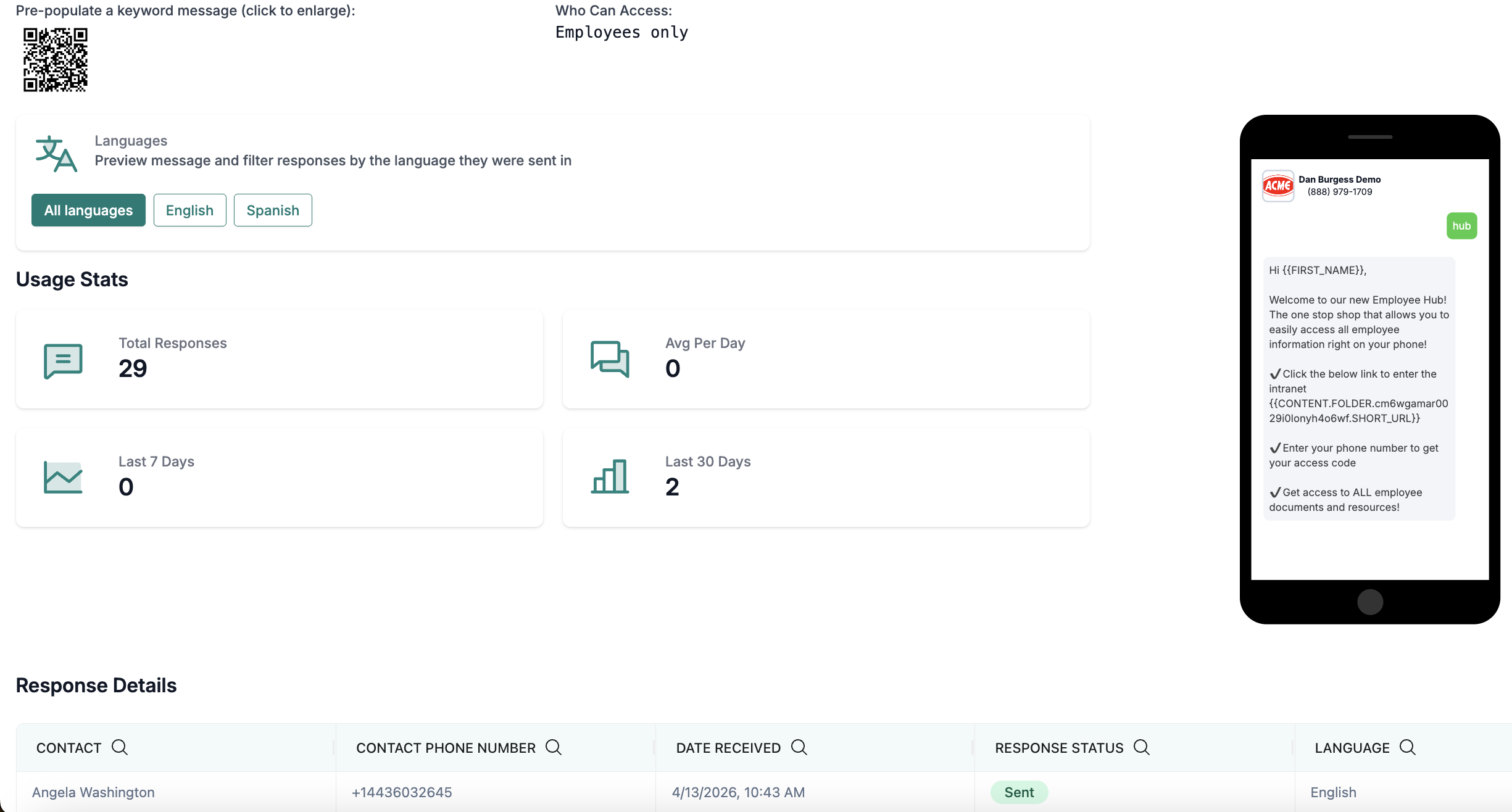
While employees or contacts can get quick answers via text, goHappy Admin Users can check out the keyword performance to see the names of contacts that have used the keyword and when it was used.
After navigating to the keywords page, Admins will see a list of all created keywords, the total number of responses for each keyword, date of last submitted response, the contact group that can access the keyword and if the keyword is enabled or not.
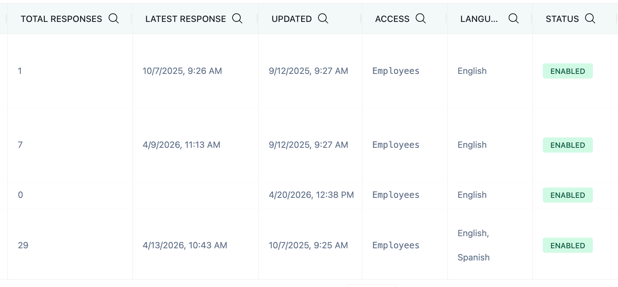
Click "View" next to a specific keyword to see more details for that keyword.
Admins will see more details around performance, like the average usage per day, or trend performance. Further down the page, Admins will also be able to see who responded to a keyword and when. This data is also helpful if an employee has cell service issues, so they can text a keyword to ensure they are receiving texts and Admins can see their name listed on the page.