.webp?width=100&height=43&name=gohappy-logo-full-green-2%20(1).webp)
Issues logging into goHappy?
1. Visit app.gohappyhub.com
2. Enter your work email address and Click Continue
3. Click "Forgot Password?"
4. Confirm the email address and click Continue.
An email will be sent from support@gohappyhub.com
For Admins to reset an employee's password from within goHappy
1. Click the Settings wheel at the top right of the page. 
2. Click the "Users" tile.
3. Search for your employee by name or email address.
4. Once found, then click "Edit" next to their name.
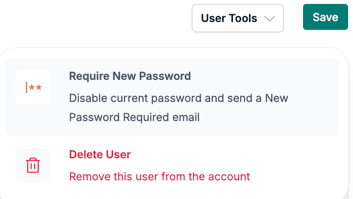
5. In the "User Tools" dropdown, on the right side of the page, select "Require New Password".
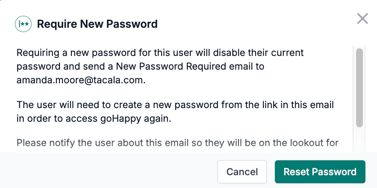
6. In the modal that appears, click "Reset Password". Then an email will be sent from support@gohappyhub.com to your employee.