.webp?width=100&height=43&name=gohappy-logo-full-green-2%20(1).webp)
A missing phone number is the #1 reason we see a contact is not showing in goHappy.
Your Payroll or HRIS system sends goHappy the list of active employees. So, we only show what is sent to us each day. Sometimes contact records don't have a phone number in the system of record, so we are not able to import them into goHappy.
Our systems have the following required fields in order for an employee to show in an account:
-
First name
-
Last name
-
Phone number
If you don't see your contact in goHappy, then make sure their info is saved in your system of record.
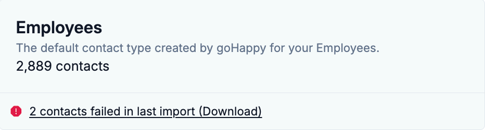
Your goHappy Admin(internal contact) will be able to see which contacts have not successfully imported recently. They can download the report for further details.